








Setting up a dedicated charging station for your devices is a practical way to keep your gadgets organized and fully powered without clutter. Whether you have smartphones, tablets, smartwatches, or wireless earbuds, a charging station simplifies your daily routine and helps avoid tangled cords and misplaced chargers.
In this guide, we’ll walk you through the process of creating an effective charging station that fits your needs and space.
Why Set Up a Charging Station?
Before diving into the setup, it’s helpful to understand the benefits:
– Organization: Keeps all chargers and devices in one spot.
– Efficiency: Charges multiple devices simultaneously.
– Safety: Reduces risk of cords getting damaged or causing tripping hazards.
– Convenience: Makes it easy to find your devices ready to go.
Step 1: Choose the Right Location
Selecting a suitable location is the foundation of your charging station.
Consider these factors:
– Accessibility: Place it where you use devices most, like near a desk, bedside table, or living room.
– Power outlets: Ensure there are enough outlets or use a power strip with surge protection.
– Ventilation: Avoid cramped spaces that trap heat. Devices charge best in well-ventilated areas.
– Surface: Choose a stable, flat surface to keep devices from sliding or falling.
Step 2: Select a Charging Organizer
There are various options to organize your devices and cords neatly:
Charging docks and stands
– Designed to hold multiple devices vertically.
– Often include integrated charging cables.
– Ideal for smartphones, tablets, and smartwatches.
Charging boxes or trays
– Provide compartments for each device.
– Help hide cables underneath.
– Good for minimizing visible clutter.
DIY solutions
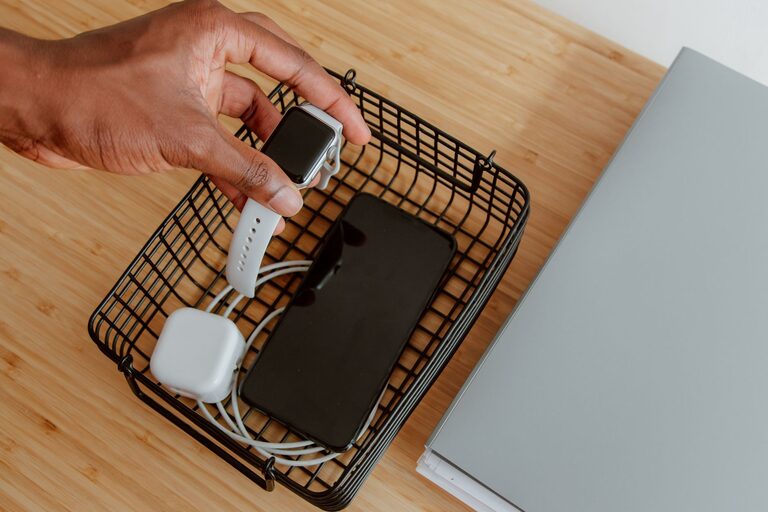
– Use small baskets, drawer organizers, or repurposed containers.
– Customize based on your space and device types.
Step 3: Choose the Right Chargers and Cables
Having the right chargers and cables ensures fast and safe charging.
– Use original or certified chargers: To reduce the risk of damage or slow charging.
– Consider multi-port USB chargers: They allow you to charge several devices from one power outlet.
– Look for fast charging support: If your devices support it, invest in chargers and cables that enable faster charging.
– Cable length: Use cables that fit well within your station to avoid excess tangling.
Step 4: Set Up Power Management Safely
Safety is important when handling multiple devices and chargers.
– Use a power strip with surge protection to prevent damage from electrical spikes.
– Avoid overloading outlets.
– Keep cords neatly arranged to prevent wear and tear.
– If using extension cords, ensure they’re rated for the power needed.
Step 5: Organize Your Devices
Arrange your devices in the charging station in a way that’s practical and efficient.
– Place frequently used devices where they’re easy to reach.
– Separate devices by size or charging speed.
– Use labels or color-coded cables if multiple people share the station.
– Store devices with care to avoid scratches or falls.
Step 6: Maintain Your Charging Station
To keep your charging station functional and tidy:
– Regularly unplug and clean devices and cables.
– Inspect cords for damage and replace when necessary.
– Adjust the setup as your device collection changes.
– Keep the area dust-free to avoid interference with ports.
Bonus Tips
– Wireless charging: If your devices support it, adding a wireless charging pad can reduce cable clutter.
– Portable charging: Include a power bank in your station for on-the-go charging help.
– Smart plugs: Use smart plugs to schedule charging times and save energy.
Conclusion
Creating a charging station tailored to your needs makes managing your devices easier and more efficient. By selecting the right location, organizers, chargers, and keeping everything neat, you’ll enjoy a clutter-free space with all gadgets ready when you need them.
Start small and adjust your setup over time to fit your lifestyle and devices perfectly. Happy charging!